Best Mac app for organizing screenshots
The screenshot organizer for Mac that reads your screenshots.
Kosmica collects new screenshots from your Mac’s screenshot folder into an Inbox, reads the text in each one on your device, and lets you find them by words, colour or likeness. Smart folders and collections file them, and everything syncs to your iPhone through your own iCloud.
$14.99 once for Mac and iPhone · No subscription · macOS 26 and iOS 26
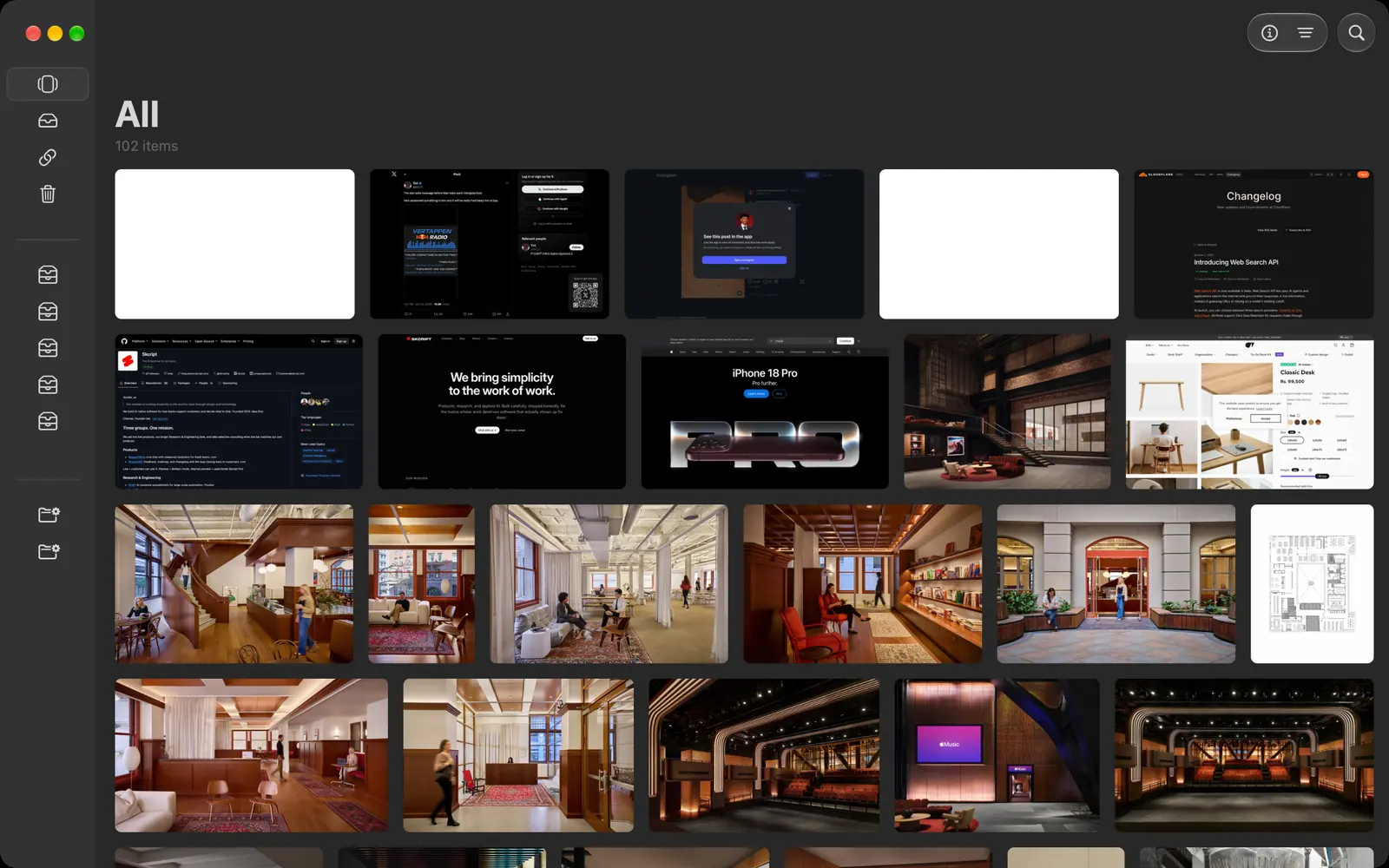
At a glance
- Collects
- New screenshots from the folder you choose on Mac, and from Photos each time you open Kosmica on iPhone
- Finds
- Text inside screenshots, tags, colours, look-alikes
- Files
- Collections, smart folders with rules such as Text contains or Added in the last N days
- Cleans up
- Clean up Library finds exact duplicates, near-duplicates and large files
- Price
- $14.99 once for Mac and iPhone, no subscription
Why Kosmica fits
Turn it on once
Settings ▸ Importing ▸ Collect Screenshots. Pick the folder macOS saves to, often the Desktop. Old screenshots stay where they are.
Search what is in them
Vision reads the text in every screenshot, so typing a word from a slide or a web page finds it.
Let folders do the filing
A smart folder with “Text contains invoice” or “from figma.com” keeps itself current.
Keep the desktop clear
Screenshots live in your Kosmica library and your iCloud, not as a pile of files on the desktop.
When another app fits better
Honest alternatives. Prices are from each app’s own site, checked on 23 November 2026.
| Finder and Photos | Free and already on your Mac. Fine for a few screenshots, but they mix with everything else and there is no Inbox for them. |
|---|---|
| Eagle | A desktop asset manager for Mac and Windows with no mobile app. US$34.95 with a Black Friday code, checked 23 Nov 2026. |
| Resurf | A local library for notes, bookmarks, screenshots and PDFs. $39 one-time (regular $49), iPhone app free, checked 23 Nov 2026. |
Questions
How do I organize screenshots on a Mac?
Pick one place for them and let it file them. In Kosmica, turn on Collect Screenshots, choose the folder macOS saves screenshots to, and new ones land in the Inbox as you take them. From there, drag them into collections or let smart folders sort them by text, site or date.
Can I search screenshots by the text in them?
Yes. Kosmica runs on-device text recognition on every screenshot, so a word from a slide, an error message or a web page finds the screenshot that contains it. Open it and Live Text lets you select and copy the text.
Does it pull in all my old screenshots?
No. Collect Screenshots only takes new ones from the moment you turn it on, so you do not get a backlog of every screenshot you ever took. To bring in older ones, drag them from Finder or Photos into Kosmica in one go.
Does it work with iPhone screenshots?
Yes. On iPhone, turn on Collect Screenshots and Kosmica adds the screenshots you took since you last looked each time you open the app. They sync with your Mac through your own iCloud, so both devices show the same library.
The features behind it
- Feature
Save from anywhere
Safari, the Share menu, the menu bar, screenshots and Drops.
- Feature
Text recognition and tags
Vision reads every image and tags it. You can change the tags.
- Feature
Smart folders
Folders that fill themselves. Describe one in plain words.
- Feature
Find Similar
Open one image. See its look-alikes from every collection.
More ways to use Kosmica
- Use case
Best Mac app for design inspiration
Save inspiration from anywhere and find it by colour, words or likeness.
- Use case
Best Mac app for reference images
Keep references for drawing and design, and find them by look or colour.
- Guide
Moodboard app for Mac
Boards of images for a project or a mood.
- Guide
Visual bookmark manager for Mac
Bookmarks you can see, synced through iCloud.