A visual bookmark manager for Mac that saves the page, not just the link
Kosmica saves every link as a picture of the page with its title, favicon and colours, right next to the images and screenshots you keep. Save from Safari, the Share menu or the menu bar on Mac and iPhone, then find anything by words, colour or look, all on your device.
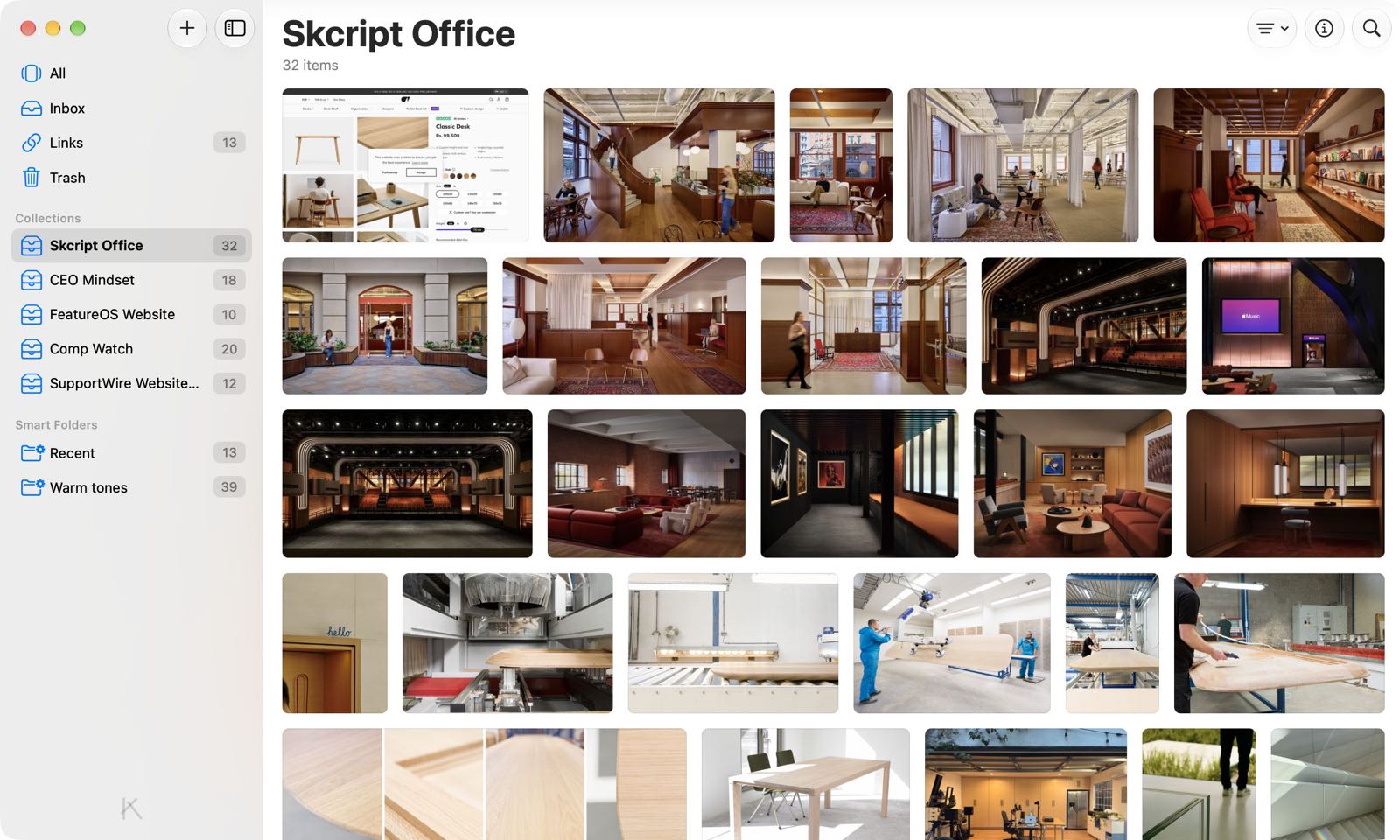
Kosmica at a glance
- Price
- $14.99 one-time. One price covers Mac and iPhone, iPad coming soon. No subscription, no in-app purchases.
- Platforms
- macOS 26 and iOS 26. Safari extension on Mac and iPhone. iPad coming soon.
- Account
- None. Kosmica uses the iCloud account already on your devices.
- Storage
- On your devices and in your own iCloud. Skcript cannot read it.
- AI
- On device, with Apple's Vision and Foundation Models. No API key. Nothing sent to Skcript.
- What it saves
- Images, screenshots and links. PDFs and videos are coming.
What is a visual bookmark manager?
A visual bookmark manager keeps links as pictures instead of a list of titles. You remember a page by how it looked, so you find it again by looking. Kosmica does this for links and for the images and screenshots you save, in one grid.
How Kosmica saves a link
Paste a link or send it from Safari. Kosmica uses the page's own preview image at full quality, and takes a screenshot only when there is none. It keeps the title, favicon and colours, and Apple's on-device model writes a short summary. If you are offline, the link waits and Kosmica fetches it when you are back online.
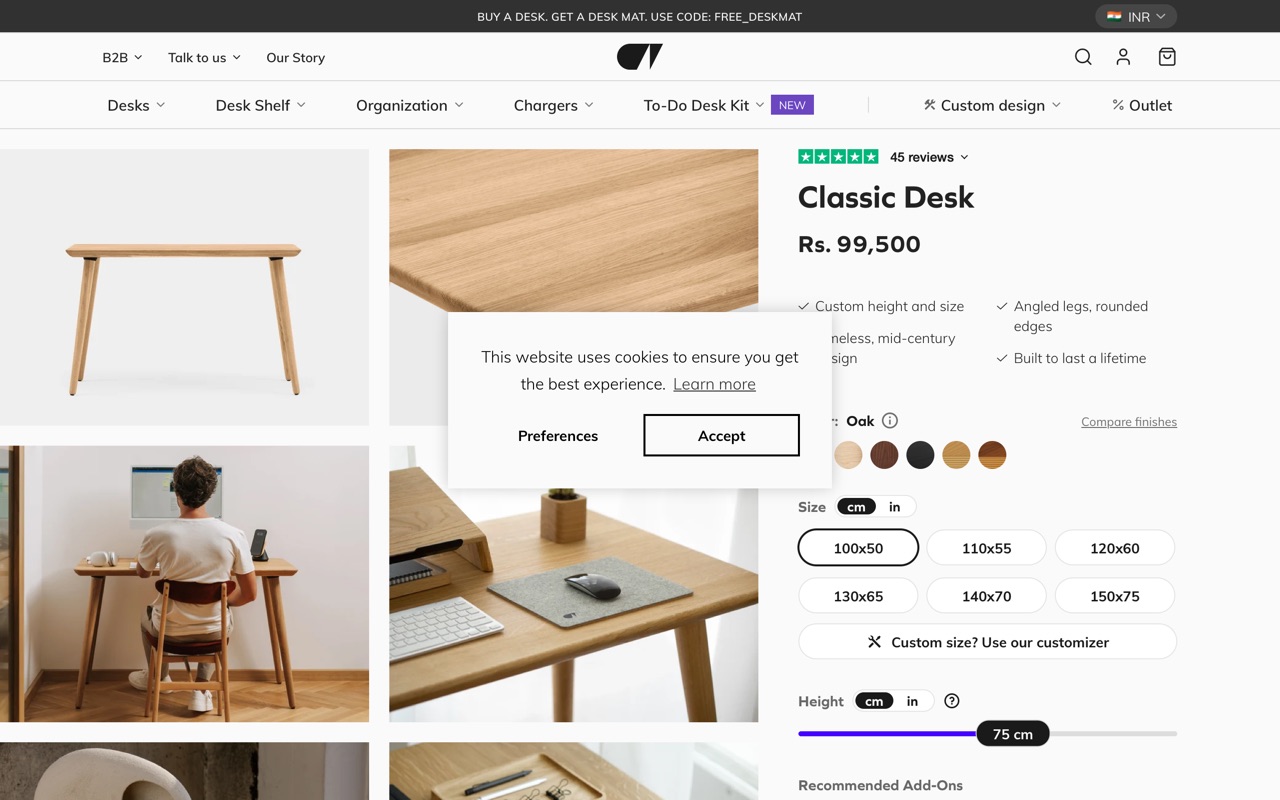
Ways to save
Safari extension
Save a page or an image from the toolbar or the right-click menu on Mac, and from the toolbar on iPhone. Pick a collection as you save.
Share menu
"Add to Kosmica" works from any app that can share a link or an image, on Mac and iPhone.
Menu bar
Drop images and links on the K in the Mac menu bar.
Drag and drop
Drag from Finder, Photos or a browser straight into the grid.
Screenshots
Turn on screenshot import on the Mac, and new screenshots land in your Inbox.
Posts on x.com
A K button on each post saves it to your Inbox.
Search that runs on your device
Type what you remember: "red chair", a word from a screenshot, or a colour like "#ff1000". Kosmica searches the text in your images, the tags Vision writes, titles, notes and link summaries. Find Similar shows items that look alike. Your saves also show up in Spotlight. All of it runs on your Mac or iPhone, and nothing is sent to Skcript.
Kosmica, Raindrop.io and Eagle
Three good tools with different jobs. Here is where each one fits.
| Kosmica | Raindrop.io | Eagle | |
|---|---|---|---|
| Best for | Images and links you want to see again | Bookmarks across every browser and device | Design assets on a desktop |
| Price | $14.99 one-time. One price covers Mac and iPhone, iPad coming soon | Free plan with unlimited bookmarks and 100 MB of uploads a month. Pro price not listed on the pages we checked | US$34.95 one-time with a 30% Black Friday code that ends 1 Dec 2026. 2 devices. 30-day trial |
| Platforms | Mac and iPhone. iPad coming soon | Web, Mac, iOS and Android | macOS and Windows. No mobile app |
| Browser extensions | Safari. Chrome is coming later | Chrome, Safari, Firefox and Edge | Yes |
| Storage | Your own iCloud. No account | Raindrop.io's cloud, encrypted in transit and at rest | A local library on your computer |
| AI | On device, included | AI Assistant and suggestions in Pro | AI Search and AI Action |
Raindrop.io facts from raindrop.io/pro/buy and raindrop.io/pro. Eagle facts from en.eagle.cool and en.eagle.cool/store. All as of 23 Nov 2026. Prices change, so check each site before you buy.
Choose Raindrop.io if
- You use Chrome, Firefox or Edge, or Android.
- You want a free plan.
- Your bookmarks are mostly articles and text.
Choose Eagle if
- You work on Windows.
- You manage large design asset libraries on a desktop.
- You do not need a phone app.
Choose Kosmica if
- You want links and images in one visual library.
- You want it on your Mac and your iPhone.
- You want no account, and search that runs on your device.
Questions
What is a visual bookmark manager?
A visual bookmark manager saves links as pictures of the page instead of a list of titles. You find a page again by how it looked. Kosmica is one for Mac and iPhone: it keeps a snapshot of each page with its title, favicon and colours, next to the images and screenshots you save.
How does Kosmica save a link?
Kosmica uses the page's own preview image at full quality and takes a screenshot only when there is none. It keeps the title, favicon and colours, and Apple's on-device model writes a short summary. If you are offline, the link waits until you are back online.
Can I save bookmarks from Safari on iPhone?
Yes. The Kosmica Safari extension is included with the app and works on Mac and iPhone. On iPhone, save from the Safari toolbar. You can also use "Add to Kosmica" in the Share menu of any app that shares links or images.
Does Kosmica work with Chrome?
Not yet. Kosmica has a Safari extension for Mac and iPhone, and a Chrome extension is coming later. On a Mac you can still drag images from any browser into Kosmica, or drop them on the K in the menu bar.
How do I search my saved links and images?
Type what you remember. Kosmica searches the text in images, the tags it writes, titles, notes and link summaries. You can search by a colour name or a hex code, or use Find Similar to see items that look alike. Search runs on your device.
Does Kosmica sync bookmarks between Mac and iPhone?
Yes. Your library lives in your own iCloud and syncs across your Mac and iPhone with no account. One price, $14.99, covers Mac and iPhone, iPad coming soon. Handoff lets you continue on one device where you left off on the other.
Keep reading
Your visual library, kept private.
Kosmica for Mac and iPhone. $14.99 once. No account, no subscription.