The Resurf alternative for people who mostly save images
Kosmica is a private, image-first library for Mac and iPhone: $14.99 once, no account, and AI that runs on your device. Resurf is the stronger pick for notes, PDFs and Chrome, and Kosmica is the stronger pick when most of what you save is pictures and links.
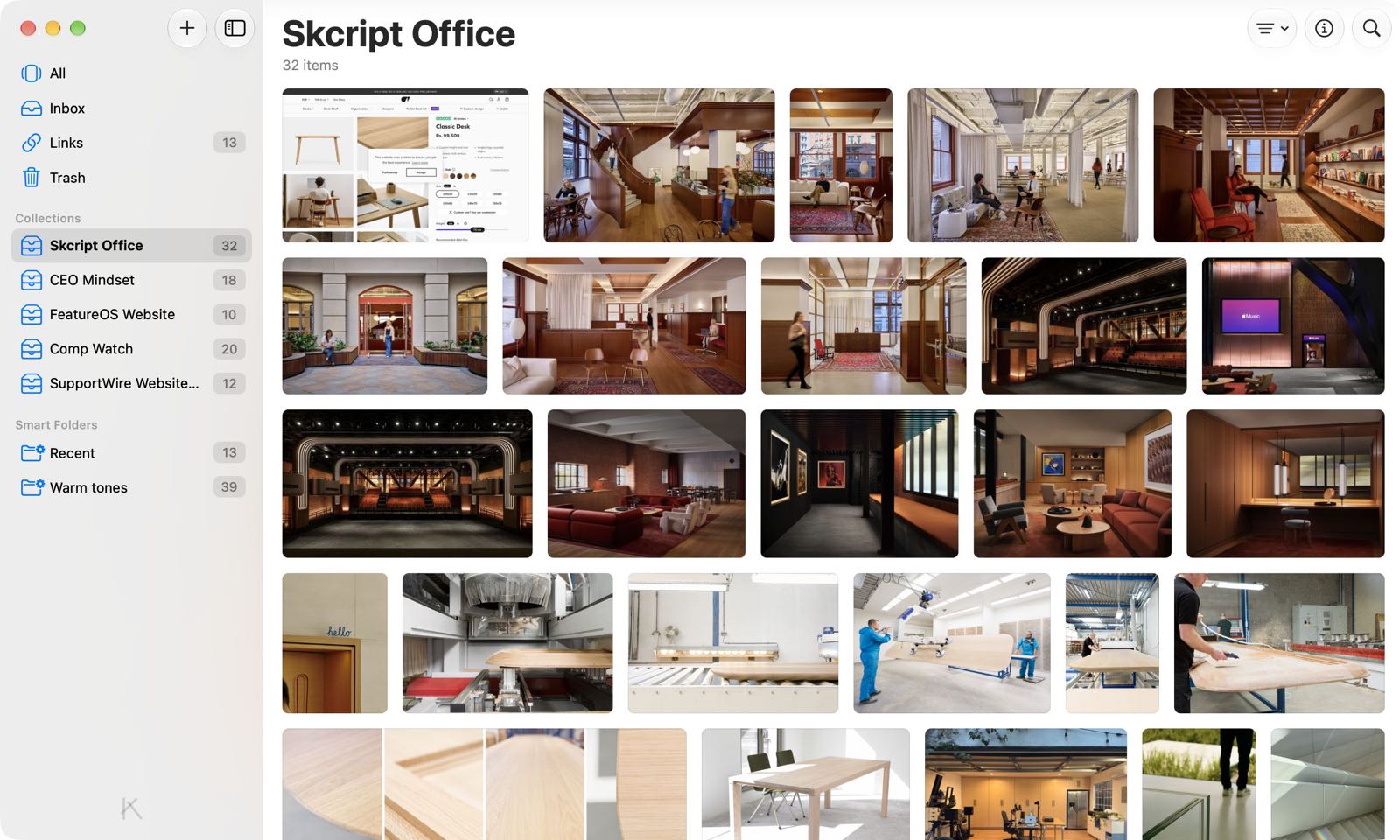
Kosmica at a glance
- Price
- $14.99 one-time. One price covers Mac and iPhone, iPad coming soon. No subscription, no in-app purchases.
- Platforms
- macOS 26 and iOS 26. Safari extension on Mac and iPhone. iPad coming soon.
- Account
- None. Kosmica uses the iCloud account already on your devices.
- Storage
- On your devices and in your own iCloud. Skcript cannot read it.
- AI
- On device, with Apple's Vision and Foundation Models. No API key. Nothing sent to Skcript.
- What it saves
- Images, screenshots and links. PDFs and videos are coming.
Kosmica vs Resurf
Both keep your library private. They differ on what they save, where they run and how you pay.
| Kosmica | Resurf | |
|---|---|---|
| Best for | Images, screenshots and links you want to see again | Notes, bookmarks, screenshots and PDFs in one local library |
| Price | $14.99 one-time. One price covers Mac and iPhone, iPad coming soon | Standard $39 one-time (regular price $49) with 2 years of updates, then $29 to renew. Lifetime $79 (regular price $99). Each covers 2 Macs. iPhone and iPad apps are free |
| Free trial | No | 7 days |
| Platforms | Mac and iPhone. iPad coming soon | Mac, iPhone and iPad |
| Browser extension | Safari on Mac and iPhone. Chrome is coming later | Chrome |
| Account | None | None |
| Storage and sync | On your devices and in your own iCloud | Local-first and offline, with optional sync through your own iCloud |
| AI | On device, no API key: text in images, tags, colours, similar images, link summaries, natural-language search | Opt-in AI summaries, image keywords, auto titles, tags and Spaces. The Assistant uses your own key (OpenAI, Anthropic, Gemini, OpenRouter or Ollama) |
| PDFs and notes | Notes on each item. PDFs and videos are coming | Notes, bookmarks, screenshots and PDFs |
| For AI tools | Experimental local MCP server on Mac | MCP and CLI |
Resurf facts from resurf.so and resurf.so/license, as of 23 Nov 2026. Kosmica facts from its App Store listing and this site. Prices change, so check each site before you buy.
Which one should you choose?
Choose Resurf if
- You save notes, PDFs and articles as often as images.
- You browse in Chrome.
- You want to try it first. Resurf has a 7-day trial.
- You want an AI assistant that runs on your own model key.
- You use an iPad.
Choose Kosmica if
- Most of what you save is images, screenshots and links.
- You want to find things by colour, by the words in a picture, or by look.
- You want AI that runs on your device, with no key to set up.
- You want one $14.99 purchase for your Mac and iPhone.
- You browse in Safari.
How switching from Resurf works
- Buy Kosmica once on the App Store and install it on your Mac and iPhone.
- Drag your images in from Finder. Kosmica reads the text, tags and colours on your device.
- Save links again with the Safari extension or the Share menu. Kosmica keeps a snapshot of each page.
- Turn on screenshot import on the Mac, and new screenshots land in your Inbox.
Kosmica has no importer for Resurf libraries. You move images by drag and drop, and links one at a time.
Questions
Is Kosmica a good Resurf alternative?
Yes, if most of what you save is images and links. Kosmica is image-first, with a justified grid, colour search and Find Similar, and its AI runs on your device. If you depend on notes, PDFs or a Chrome extension, Resurf fits better today. Both keep your library private and need no account.
How much does Kosmica cost compared with Resurf?
Kosmica is $14.99 once, and one price covers Mac and iPhone, iPad coming soon, with no subscription and no in-app purchases. On 23 Nov 2026, resurf.so/license listed Resurf Standard at $39 one-time with two years of updates and Lifetime at $79, each for two Macs, with free iPhone and iPad apps. Resurf has a 7-day trial. Kosmica has no trial.
Does Kosmica need an account?
No. Kosmica uses the iCloud account already on your devices, so there is nothing to sign up for. Your library lives on your devices and in Kosmica's container in your own iCloud, and Skcript cannot read it. Resurf also works without an account.
Does Kosmica need an AI API key?
No. Text recognition, tags, colours, similar images and link summaries run on your device with Apple's Vision and Foundation Models. Nothing is sent to Skcript, and there is no key to paste. Resurf's Assistant uses your own key from a provider such as OpenAI, Anthropic, Gemini, OpenRouter or Ollama.
Can I move my Resurf library into Kosmica?
Not with an importer, because Kosmica has no Resurf import. Drag your images in from Finder, and save your links again with the Safari extension or the Share menu. Kosmica then reads the text in each image, tags it and finds its colours on your device, so you can search by words and colour.
Does Kosmica work with Chrome or on iPad?
Not yet. Kosmica includes a Safari extension for Mac and iPhone, and a Chrome extension is coming later. iPad is coming soon. On a Mac you can still drag images from any browser into Kosmica, or drop them on the K in the menu bar.
Keep reading
Your visual library, kept private.
Kosmica for Mac and iPhone. $14.99 once. No account, no subscription.