A mymind alternative with no account and no subscription
Kosmica is a private visual library for Mac and iPhone that you buy once for $14.99, with no account and AI that runs on your device. Pick mymind if you need Android, the web or one place for everything, and pick Kosmica if you want your pictures and links kept in your own iCloud.
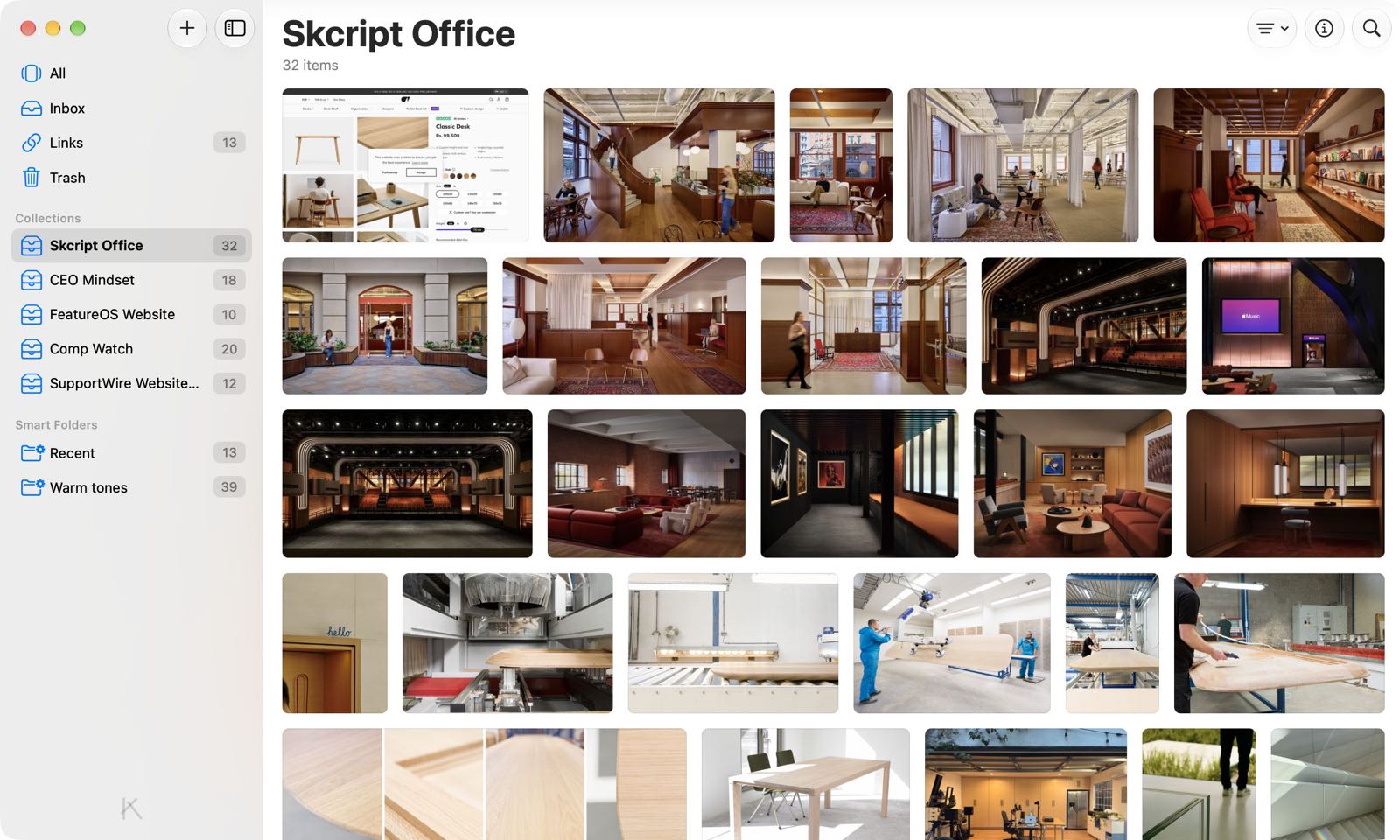

Kosmica at a glance
- Price
- $14.99 one-time. One price covers Mac and iPhone, iPad coming soon. No subscription, no in-app purchases.
- Platforms
- macOS 26 and iOS 26. Safari extension on Mac and iPhone. iPad coming soon.
- Account
- None. Kosmica uses the iCloud account already on your devices.
- Storage
- On your devices and in your own iCloud. Skcript cannot read it.
- AI
- On device, with Apple's Vision and Foundation Models. No API key. Nothing sent to Skcript.
- What it saves
- Images, screenshots and links. PDFs and videos are coming.
Kosmica vs mymind
Both keep your library private. They differ on what they save, where they run and how you pay.
| Kosmica | mymind | |
|---|---|---|
| Best for | Images, screenshots and links you want to see again | Saving everything in one AI-sorted place |
| Price | $14.99 one-time. One price covers Mac and iPhone, iPad coming soon | Student of Life $7.99 a month or $79 a year. Mastermind $12.99 a month or $129 a year. Bookmarker $4.99 a month, without AI. No free plan listed |
| Platforms | Mac and iPhone. iPad coming soon | iOS, Android, macOS and the web |
| Browser extension | Safari on Mac and iPhone. Chrome is coming later | Yes |
| Account | None | Required |
| Storage | On your devices and in your own iCloud. Skcript cannot read it | mymind's cloud. mymind says it is "100% private" and has no ads |
| AI | On device: text in images, tags, colours, similar images, link summaries, natural-language search | AI tagging, text recognition, Smart Spaces and Serendipity. Mastermind adds summaries, a PDF analyzer and Same Vibe |
| Ads and tracking | None in the app. App Store label: Data Not Collected | No ads |
mymind facts from mymind.com/pricing, as of 23 Nov 2026. Kosmica facts from its App Store listing and this site. Prices change, so check each site before you buy.
Which one should you choose?
Choose mymind if
- You use Android or want a web app.
- You save articles, notes and PDFs as well as images.
- You want Smart Spaces, Serendipity or the PDF analyzer.
- You would rather pay monthly than up front.
Choose Kosmica if
- You do not want another account.
- You want your library in your own iCloud, where Skcript cannot read it.
- You want to pay once, not every month.
- You want AI that runs on your device.
- You live on a Mac and an iPhone.
How switching from mymind works
- Buy Kosmica once on the App Store and install it on your Mac and iPhone.
- Drag your images in from Finder. Kosmica reads the text, tags and colours on your device.
- Save links again with the Safari extension or the Share menu. Kosmica keeps a snapshot of each page.
- Share a collection with someone through iCloud when you want to collect together.
Kosmica has no importer for mymind. You move images by drag and drop, and links one at a time.
Questions
Is Kosmica a good mymind alternative?
Yes, if you save mostly images and links on a Mac and an iPhone and want no account. Kosmica keeps your library in your own iCloud and runs its AI on your device. If you need Android, a web app, or one place for notes, articles and PDFs, mymind covers more ground today.
How much does Kosmica cost compared with mymind?
Kosmica is $14.99 once, and one price covers Mac and iPhone, iPad coming soon, with no subscription and no in-app purchases. On 23 Nov 2026, mymind.com/pricing listed Student of Life at $7.99 a month or $79 a year, Mastermind at $12.99 a month or $129 a year, and Bookmarker at $4.99 a month without AI.
Where does Kosmica keep my library?
On your devices and in Kosmica's container in your own iCloud. There is no Kosmica server and no account, and Skcript cannot read your library. mymind keeps your library in its own cloud and needs an account. Kosmica also runs its text, tag and colour analysis on your device, and nothing is sent to Skcript.
Does Kosmica sort things with AI like mymind?
Yes, on your device. Kosmica reads the text in images, writes tags, finds colours and similar images, and summarises links with Apple's Vision and Foundation Models. You can then search in plain words, by colour or by look. Nothing is sent to Skcript.
Can I import my mymind library into Kosmica?
Not with an importer, because Kosmica has no mymind import. Drag the images you want to keep into Kosmica from Finder, and save your links again with the Safari extension or the Share menu. Kosmica then analyses everything on your device, so search works by words and colour.
Does Kosmica run on Android, Windows or the web?
No. Kosmica is a native app for Mac and iPhone, and iPad is coming soon. It has a Safari extension for Mac and iPhone, and a Chrome extension is coming later. If you need Android or the web, mymind is the better fit.
Keep reading
Your visual library, kept private.
Kosmica for Mac and iPhone. $14.99 once. No account, no subscription.