Feature
Your library, outside the app.
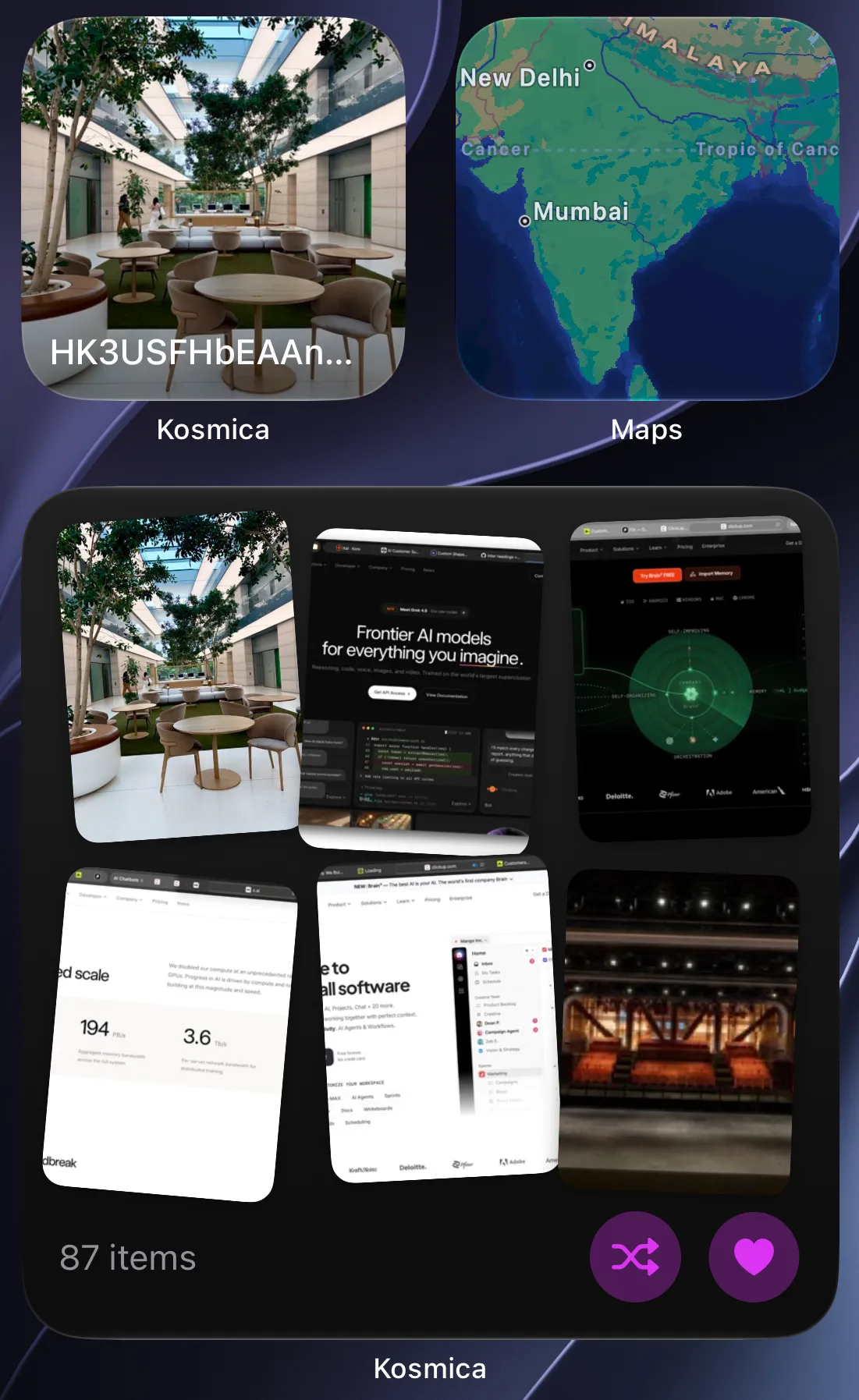
Kosmica widgets show picks from your library on the Home Screen, Lock Screen and Mac desktop. Shortcuts and Siri can save, search, shuffle and open collections, and Spotlight finds your items from anywhere.
$14.99 once for Mac and iPhone · No subscription · macOS 26 and iOS 26
At a glance
- Widgets
- Every size and the Lock Screen, Daily Shuffle, Shuffle and Like buttons, a collection to show
- Controls
- Capture to Kosmica, Add Link, Surprise Me
- Shortcuts and Siri
- Save, Search, Shuffle, Open Collection, Open Item, Like, Add to Collection, Get Liked Items
- Spotlight
- Items are indexed so you can find them system-wide
- Links
- kosmica://search links and kosmica.app Universal Links open in the app
How it works
Add a widget
Long-press the Home Screen or edit your Mac desktop widgets, find Kosmica, choose a size and a collection.
Ask Siri
Say “Search Kosmica for chairs”, “Shuffle Kosmica” or “Open my Chairs collection in Kosmica”.
Build a shortcut
Use Kosmica’s actions in the Shortcuts app to save, search or file items as part of your own automations.
Good to know
- Widgets show random picks, and Daily Shuffle shows something you liked, fresh each day.
- Spotlight results come from an index kept on your device.
- On Mac, an experimental local MCP server lets AI tools such as Claude Code search your library. It is off by default.
Questions
What widgets does Kosmica have?
Widgets in every size on iPhone and Mac, plus Lock Screen widgets. They show random picks from your library or from a collection you choose, with Shuffle and Like buttons, and a Daily Shuffle widget shows something you liked each day. Control Center gets Capture to Kosmica, Add Link and Surprise Me.
What can I do with Shortcuts and Siri?
Kosmica adds actions to save, search, shuffle, open a collection or item, like an item, add an item to a collection and get your liked items. Siri knows the phrases by name, for example “Search Kosmica for chairs” or “Open my Chairs collection in Kosmica”.
Can I find Kosmica items in Spotlight?
Yes. Kosmica indexes your items for Spotlight on your device, so you can press ⌘ Space on Mac or swipe down on iPhone, type what you are looking for, and open the item straight in Kosmica. The index is built and kept on your device.
Can AI tools search my Kosmica library?
On Mac, yes, if you turn it on. Settings ▸ Experimental has a local MCP server that lets tools like Claude Code and Cursor search your library, list collections and file items. It listens only on your Mac, refuses browser requests, and keeps a 30-day activity log.
Keep exploring
- Feature
Save from anywhere
Safari, the Share menu, the menu bar, screenshots and Drops.
- Feature
Private iCloud sync
Your library in your own iCloud. No account, no Kosmica server in between.
- Use case
Best Mac app for saving links
Links saved with a snapshot, a title and a summary, next to your images.
- Use case
Best Mac app for design inspiration
Save inspiration from anywhere and find it by colour, words or likeness.